September 27th, 2026
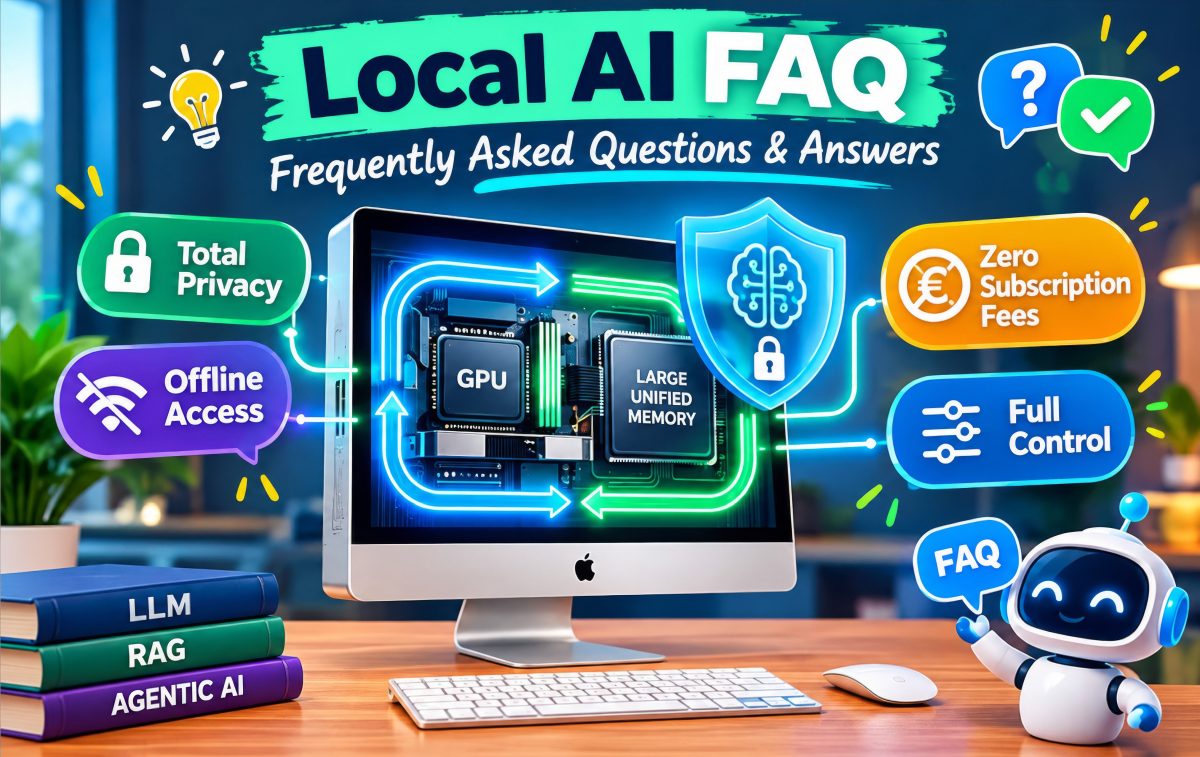
Welcome to the Local AI Frequently Asked Questions (FAQ) and answers. This FAQ was inspired by the German-speaking Local AI WhatsApp group, initiated by the genius prompt engineer Georg E. of the Open Bridge Multiprotocol AI Server for Building Automation (GitHub) Project. The image above was created using artificial intelligence (EU AI Act compliance notice).

Local AI
Question: What is Local AI?
Answer: Local AI refers to running Large Language Models for AI directly on your own device, like a PC, Mac, or local Linux server, rather than sending your data to remote cloud servers operated by external companies.
Key Benefits
- Total Privacy: Your prompts, files, and generated outputs never leave your hardware, keeping sensitive information completely secure.
- Offline Access: It works without an internet connection.
- Zero Subscription Fees: Once set up, running open-weights models costs nothing beyond electricity.
- Full Control: You choose the specific model, context window, parameters, and system prompts without content filters or rate limits imposed by cloud providers.
The Trade-off
It relies entirely on your hardware’s processing power (especially unified memory or GPU VRAM). Larger, state-of-the-art models require substantial local memory and computing resources to run at high speeds.
Question: Which technical milestones made Local AI possible and popular?
Answer: The appearance of the Google Gemma-4 and Qwen 3.6 open weight Large Language Models in April 2026 was the major milestone for enabling local AI. The even better Qwen 3.8 model followed in August 2026.
Those were the first open weight Large Language Models which were small and performant enough to run on local machines and powerful enough to efficiently run serious local AI use cases.
Both Large Language Model families also support Mixture of Experts (MoE) capabilities, which was also an important milestone for local AI because of the reduction of resource consumption and increase of inference speed.
Soon after April 2026, Local AI especially with the Qwen 3.8 LLM family got very popular in many YouTube videos and other Internet information channels.
Hardware
Question: I have a middle-class Android phone. How can I do Local AI?
Answer: Install the Google AI Edge Gallery app, start it and select AI Chat. Download a compatible Gemma model, for example Gemma 4 E2B, and start a conversation.
For a simple demonstration that the inference itself is running locally, download the model first and then enable Airplane Mode or disable both Wi-Fi and mobile data.
Now enter your first prompt:
“Who won the Battle of Azincourt in 1415 and why?”
And then enjoy the surprising experience of getting a meaningful answer from a relatively small language model running entirely on a smartphone.
The exact performance depends on your phone’s chipset, RAM and the model version being used.
Question: I’m not interested in Linux and want to buy a new Mac Mini for Local AI. What should I look for?
Answer: If Local AI is an important reason for buying the Mac, I would look closely at the Mac mini with M4 Pro and 64 GB unified memory.
The reason is simple: for larger local LLMs, memory capacity becomes one of the most important limitations.
The M4 Pro provides high memory bandwidth and up to 64 GB of unified memory in the Mac mini. If you need more than 64 GB unified memory, you have to move to a Mac Studio, which is in a higher price category.
You don’t necessarily need 64 GB for every Local AI workload. Smaller models can run very well with less memory. But if your goal is to experiment with larger models, long context windows, RAG and Agentic AI, 64 GB gives you considerably more room to grow. In addition, a Mac Mini M4 Pro has about twice the memory speed as a Mac Mini M4, which has a big impact on AI inference speed.
Similar considerations apply for the New Mac Mini M6 and Mac Mini M5 Pro.
Question: Is Local AI just simply about buying the fastest GPU?
Answer: No. A useful Local AI system is the result of balancing:
Model size → Quantization → VRAM/RAM → Memory bandwidth → Context length → KV cache → RAG → Agentic AI → Security → Privacy
The fastest machine is not necessarily the most useful machine.
A 24 GB GPU generating 70 tokens per second may be excellent for one workload, while a 64 GB or 128 GB unified-memory machine generating fewer tokens per second may be much more useful for another workload involving long contexts, RAG or Agentic AI.
The real question is therefore not:
“How many tokens per second does it generate?”
but:
“What can I actually do with this machine, locally, privately and reliably?”
Question: I have an Intel/AMD-based PC. How can I start with Local AI with good performance and small LLMs as cheaply as possible?
Answer: A used NVIDIA GeForce RTX 3060 with 12 GB VRAM is still an interesting entry point for Local AI. Depending on the market and condition, used cards can be available for a few hundred euros.
The 12 GB version is important. The RTX 3060 was also sold with 8 GB VRAM, which gives you considerably less room for larger LLMs.
With 12 GB VRAM, models such as Gemma 4 12B in a suitable Q4 quantization can be run locally, although the available context length and runtime configuration will determine how much additional memory remains for the KV cache and other inference buffers.
Question: I have an Intel/AMD-based PC. How can I run a Qwen 3.8 27B Q4 LLM as cheaply as possible? A context length of 32K tokens is sufficient for me.
Answer: A used NVIDIA GeForce RTX 3090 with 24 GB VRAM is a powerful option for this type of workload. Depending on the market, used cards may be available around EUR 1,000.
Some versions of the RTX 3090 have 24 GB VRAM. And don’t confuse it with other RTX 30-series cards, which have different memory capacities. Carefully check before you buy.
A Q4 27B model can fit into 24 GB under suitable configurations, but the model weights are not the only memory consumer. The KV cache, runtime buffers and context length also require memory.
A 24 GB GPU is therefore much more suited at moderate context lengths and will probably not work on longer context lengths.
Question: Why can an AMD Ryzen AI MAX+ 395 machine with 64 GB of unified fast memory run out of memory when running Qwen 3.8 27B Q6 with a 256K context and no KV-cache quantization?
Answer: Because the model weights are only part of the memory requirement.
A 27B model in Q6 quantization already requires roughly 20+ GB for its weights, depending on the exact quantization and model format.
The remaining memory is needed for things such as:
- the KV cache
- runtime buffers
- temporary allocations
- the operating system
- the inference application
- other applications running on the machine
The 256K context is the critical factor. At such a large context, the FP16 KV cache can consume tens of gigabytes.
With 64 GB of unified memory, the same memory pool is shared between the operating system, CPU, GPU/inference engine and applications. There is therefore no dedicated “64 GB VRAM” available exclusively to the LLM.
This is an important Local AI lesson:
Model size is not the same as total inference memory requirement.
A 27B Q6 model may fit comfortably at a moderate context length while the same model can exceed 64 GB at a 256K context without KV-cache quantization.
Software
Question: Which software should I start with for Local AI on Windows, Mac or Linux?
Answer: Start with LM Studio or Ollama.
LM Studio is particularly attractive for beginners because it provides a graphical interface, makes downloading models easy and exposes many inference settings directly to the user.
Ollama is more minimal and developer-oriented. It provides a local LLM runtime with a command-line interface and API and integrates particularly well with other applications and development tools.
Download a relatively small model such as Gemma 4 E2B, start it locally and enter your first prompt:
“Who won the Battle of Azincourt in 1415 and why?”
If the answer appears without requiring an Internet connection, you have just taken your first step into Local AI.
Question: I got Ollama or LM Studio working and my first prompt was answered correctly. What should I do next?
Answer: Install Open WebUI.
Open WebUI gives you a local, ChatGPT-like interface for your own models. It adds considerably more functionality than a simple LLM runtime, including:
- conversations and prompt management
- file uploads
- images and other multimedia depending on the model and configuration
- model management
- Knowledge Bases
- Retrieval-Augmented Generation (RAG)
- connections to different LLM backends
Its basic RAG functionality is surprisingly powerful and is an excellent way to move from simply chatting with a model to working with your own information.
Question: How can I create a secure environment in which other people can use my local LLMs through WireGuard VPN while protecting my private network?
Answer: Do not simply expose your LM Studio, Ollama or other LLM API directly to the public Internet.
A safer architecture is:
Internet → WireGuard VPN → isolated VPN network → authentication → LLM service
Ideally:
- Run WireGuard as the secure entry point.
- Put remote users into a dedicated VPN subnet.
- Use firewall rules to restrict what VPN users can access.
- Expose only the required LLM service.
- Enable authentication where supported.
- Do not give remote users unrestricted access to your entire home LAN.
- Keep administrative interfaces inaccessible from the VPN unless they are explicitly required.
- Keep the operating system and AI software updated.
- Log access where appropriate.
Think of WireGuard as the private road into your AI machine, not as a replacement for authentication and firewall rules.
Large Language Models (LLMs)
Question: Wat is a Large Language Model?
Answer: A Large Language Model (LLM) is an AI system trained on massive amounts of text to understand and generate human language.
At its core, an LLM works through advanced pattern recognition. By analyzing billions of sentences, it learns how words, concepts, and grammar relate to one another. When you give it a prompt, it uses these learned patterns to predict and generate the most logical, context-aware sequence of text—one word at a time.
Question: Can I do Local AI without fast RAM with at least 150 GB/s memory bandwidth?
Answer: Yes.
There is no universal 150 GB/s minimum requirement for Local AI.
However, memory bandwidth becomes increasingly important as models get larger. LLM inference frequently involves moving large quantities of model data through memory, particularly during token generation.
A system with relatively slow RAM can therefore run the same model as a faster system but may produce substantially fewer tokens per second.
In practice:
Memory bandwidth is one of the most important performance factors for Local AI — but it is not a minimum compatibility requirement.
Question: Can I run a local LLM partly in VRAM and partly in normal system RAM?
Answer: Radio Yerevan and I should probably say: In principle, yes, but…
Many inference engines can split model layers between GPU VRAM and system memory.
However, once significant parts of the model or KV cache have to be accessed through the slower CPU/GPU memory path, performance can drop dramatically.
Whether the result is still acceptable depends on:
- model size
- quantization
- context length
- GPU
- system RAM
- memory bandwidth
- PCIe connection
- inference engine
- workload
For this reason, “the model runs” and “the model runs fast enough” are two very different statements.
Question: I have a graphics card with 12 GB VRAM. Does a Gemma 4 12B Q4 LLM completely fit into the VRAM?
Answer: The model file itself can be substantially smaller than 12 GB. But the model file is not the complete memory requirement.
You also need memory for:
- the KV cache
- runtime buffers
- temporary allocations
- the inference engine
As a rough rule of thumb, allowing perhaps 30–50% additional VRAM beyond the model size can be useful, although the real requirement depends heavily on context length and runtime.
Therefore, a 12 GB graphics card can run a Gemma 4 12B Q4 model entirely in VRAM at suitable context lengths, but you should not assume that every possible context length will fit.
Question: I need a large context length but my VRAM is running out. What can I do?
Answer: One option is to quantize the K and V components of the KV cache.
The KV cache normally uses a relatively high-precision format such as FP16. At very long context lengths, it can consume enormous amounts of memory.
KV-cache quantization can substantially reduce this memory requirement.
The exact saving depends on the model architecture, context length, number of KV heads, head dimension and quantization format. Therefore, don’t assume a fixed number of gigabytes for every model.
If your inference software allows independent K- and V-cache quantization, experimenting with K-cache quantization first can be a reasonable approach because K and V quantization can affect model quality differently.
The important point is:
KV-cache quantization trades some precision for substantially lower memory consumption.
For very long contexts, that trade-off can be extremely useful. With LM Studio, you can easily configure the quantization level for the K-cache and V-cache separately.
Question: Wow, my AI machine with a 24 GB VRAM graphics card is outputting 72 tokens per second with Qwen 3.8 27B Q4. That’s much faster than the 10–15 tokens per second from your AMD Ryzen AI MAX+ 395 machine. Do I have the better AI machine?
Answer: It can be.
A powerful discrete GPU with 24 GB of high-bandwidth VRAM can generate tokens considerably faster than a unified-memory system in some configurations.
But token generation speed is only one part of Local AI performance.
A 24 GB GPU also gives you much less memory headroom for large contexts than a 64 GB or 128 GB unified-memory system.
For example, a 24 GB GPU may be excellent for a 27B Q4 model at moderate context lengths while becoming increasingly constrained when you move toward very long context lengths
There is another important issue: power consumption.
A high-end discrete-GPU system can consume substantially more electricity than a compact unified-memory AI system, especially under sustained load.
And finally:
Do not judge a Local AI machine solely by its output tokens per second.
In many Local AI use cases like Retrieval-Augmented Generation, Agentic AI and long-context workloads, input tokens for prompt processing can easily represent more than 90% and output tokens for token generation less than 10% of the total inference workload. A machine that produces 70 output tokens/s instead of 15 tokens/s is not automatically five times faster for the complete task. For the processing of input tokens, memory speed is far less important than for output tokens.
Agentic AI
Question: What does an Agentic AI Harness bring to the table?
Answer: Agentic AI harnesses such as OpenClaw and Hermes were developed around Large Language Models and are designed to move beyond simple question-and-answer interaction.
Instead of:
Prompt → Answer
the workflow becomes:
Goal → Plan → Tools → Actions → Verification → Result
This allows an AI system to perform multi-step tasks rather than simply generating text.
The important distinction is that an Agentic AI system can potentially take actions on your computer or in external systems.
That also creates a new security problem:
An AI agent with tools is no longer just a chatbot. It is a software system with permissions.
The permissions you give an agent should therefore be treated with the same care as permissions given to a human user or application.
Question: Why are some OpenClaw users experimenting with Hermes?
Answer: OpenClaw and Hermes are different approaches to Agentic AI.
The interesting question is therefore not simply which one is “better”, but which architecture fits your requirements.
An Agentic AI harness typically provides capabilities such as:
- tool use
- shell commands
- file manipulation
- web access
- persistent context or memory
- task planning
- interaction with external services
- automation
Hermes is particularly interesting for people who want to run an agent locally and connect it to their own LLM infrastructure.
When comparing agentic frameworks, look at:
- supported models
- tool support
- security model
- permissions
- memory
- local vs cloud operation
- extensibility
- reliability
- ease of installation
The Local AI advantage is that the underlying LLM and potentially the entire agent workflow can remain under your control.
Many people like me switched to Hermes from OpenClaw because of severe update problems before OpenClaw version 2, which were so severe that updating OpenClaw very often led to a complete fresh reinstallation with time consuming re-configuration.
Retrieval-Augmented Generation (RAG)
Question: What is RAG all about?
Answer: It’s basically:
“Chatting with your documents.”
Instead of asking an LLM to answer solely from what it learned during training, Retrieval-Augmented Generation (RAG) gives it access to relevant information from your own documents.
A simplified RAG workflow looks like this:
Documents → chunking → embeddings → vector database → retrieval → relevant context → LLM → answer
This makes it possible to ask questions about information that was never part of the model’s original training data.
Question: How can I start RAG with low effort but surprisingly good results?
Answer: Start with Open WebUI.
Install Open WebUI, connect it to your local LLM and upload a few documents.
Create a Knowledge Base and ask questions about the documents.
Start small. Use perhaps 5–10 documents rather than immediately importing thousands of files.
Then test questions where you already know the answer.
For example:
“Which person appears in both document A and document B?”
or:
“What do the first 50 WWII forced-labor interviews say about the changes in working conditions between 1942 and 1945?
This allows you to test whether the system is actually retrieving the correct information rather than simply producing plausible-sounding answers.
Once you understand the basic principle, you can experiment with:
- chunk size
- chunk overlap
- embedding models
- vector search
- full-text search
- hybrid retrieval
- reranking
- metadata
- citations
- context size
Question: Which RAG system should I try next if I am not satisfied with the RAG capabilities of Open WebUI?
Answer: Try RAGFlow.
Open WebUI is excellent for getting started, but dedicated RAG platforms provide considerably more control over the retrieval pipeline.
RAGFlow allows you to experiment with following features beyond Open WebUI RAG:
- Designed for very large document collections
- RAGFlow supports configurable workflow nodes, including LLM-based nodes where you can configure things such as the LLM-model, prompt, and generation parameters. RAGFlow also allows different models to be specified separately rather than always relying on the system default.
This becomes particularly interesting when you move from:
“I have a few PDFs.”
to:
“I have hundreds or thousands of documents and need reliable retrieval.”
At that point, RAG becomes less about chatting with documents and more about building a local information-retrieval system.
Use Cases
Question: What are the Local AI use cases?
Answers:
Private / Local ChatGPT-like Assistant
Run a ChatGPT-like AI experience locally without sending your prompts and documents to a remote AI inference provider which is likely in the USA or China
This can significantly improve:
- data sovereignty
- privacy
- control over your data
- independence from cloud providers
- availability without an Internet connection
It can also reduce the risks associated with transmitting confidential information to third-party AI services.
However:
Running an AI model locally does not automatically make an application EU GDPR-compliant.
EU GDPR compliance still depends on what personal data is processed, the legal basis for processing, access controls, retention, security, transparency and many other factors.
Local AI should therefore be seen as an important technical building block for privacy-oriented and EU GDPR-conscious applications, not as a legal compliance certificate.
Retrieval-Augmented Generation
Ask your own documents questions without uploading them to a remote AI service.
Examples:
- company documentation
- technical manuals
- research papers
- contracts
- historical documents
- private archives
- internal knowledge bases
RAG is particularly interesting when the information you need is not contained in the LLM’s original training data.
Vibe Coding
Use a local LLM as a coding assistant that can:
- understand your source code
- create files
- modify existing code
- explain errors
- write tests
- refactor code
- work with your local development environment
The major advantage is that proprietary source code can potentially remain entirely on your own machine and is not uploaded to AI providers in the USA or China
Agentic AI
Move from:
“Tell me how to do it.”
to:
“Do it for me.”
Possible applications include:
Private and unique newsletters based on actual Internet and social-media content
An agent can collect information from permitted sources, summarise it, structure it and prepare a personalised newsletter.
Let your agent configure your Linux PC
An agent can inspect configuration files, execute commands and make changes, ideally with explicit permissions and confirmation for sensitive operations.
Let your agent configure your Windows PC
The same concept can be applied to Windows administration and configuration.
Powerful file editing and management
An agent can search, rename, organise, transform and edit large numbers of files.
Don’t do this: Let your agent click you successfully through online tests
Some tasks should simply remain human.
Giving an AI agent permission to complete online tests, assessments or other activities on your behalf can undermine the purpose of the activity and may violate the rules of the service involved.
Push your home automation to the next level
Instead of fixed automation rules, an agent can interpret natural-language requests and coordinate multiple devices and services.
For example:
“I’m going to bed. Turn off everything except the refrigerator, set the bedroom temperature to 18°C and remind me tomorrow morning if the washing machine is still running.”
Enjoy individual group travel with an Agentic AI travel concierge
An agent can potentially combine:
- travel preferences
- transport
- accommodation
- restaurants
- activities
- maps
- schedules
- weather
- reservations
to create a personalised travel experience.
The important difference from a conventional chatbot is that an agent can potentially research, compare, coordinate and execute multiple steps rather than simply providing a written itinerary.
Upcoming FAQ Answers
- Mixture of Experts (MoE)
- LLM inference
- LLM quantization
- open weight LLM
Do you like this Local AI FAQ?
Then please give a star for following promising GitHub Project:
GitHub: Open Source Multiprotocol AI Server for Building Automation (KNX/Modbus/1-Wire via MQTT)
Connect KNX, Modbus TCP/RTU, 1-Wire, MQTT, Home Assistant, ioBroker and more — through a single, API-first, open-source hub.
For more details visit the project landingpage: https://open-bridge.io
Disclaimer
The information in this FAQ is provided for general educational and informational purposes only and reflects the author’s experience and personal opinion at the time of publication and should not be considered as facts.
Technical specifications, performance, prices, software features and legal requirements may change; no guarantee is given for accuracy, completeness or suitability for a particular purpose.
Comments are welcome
Constructive comments (via the comment function at the bottom of this page) are greatly appreciated and suitable changes and additions to this Local AI FAQ will be seriously taken into account. All statements in this FAQ reflect the personal opinion of the author, which may not always be accurate due to incomplete information and are not factual claims.
Please note that comments are subject to manual review to prevent spam, which may cause a delay in their display.

By Chris
I led software projects in Germany and on-site in the United States, Japan, Taiwan, China and India. My work experience started with Unix kernel software development at Siemens and continued with development management of anti-fraud systems for Bank of America, Citigroup and HSBC, payment platforms, credit and debit card issuing, high-traffic Internet websites, Industry 4.0 solutions for sound customers and the new Operations and Fleet Control software for the London Underground Piccadilly subway line.
I conducted technical due diligence for M&A transactions at companies featured on public TV and was the co-founder of CharterCheck.com. I worked with AWS IoT and was a speaker at an IoT conference on “Best practices for successful industrial IoT projects“.
I’m particularly interested in cloud-independent AI and Digital Sovereignty, experimenting with OpenClaw and Hermes Agentic AI, off-grid LLMs and AIoT. I hold a Diplom-Informatiker Univ. degree in Computer Science from the Technical University of Munich.